
Mobile call controls
A floating bar at the bottom with mute, deafen, leave, and stream toggles. Auto-hides when no audio is active.
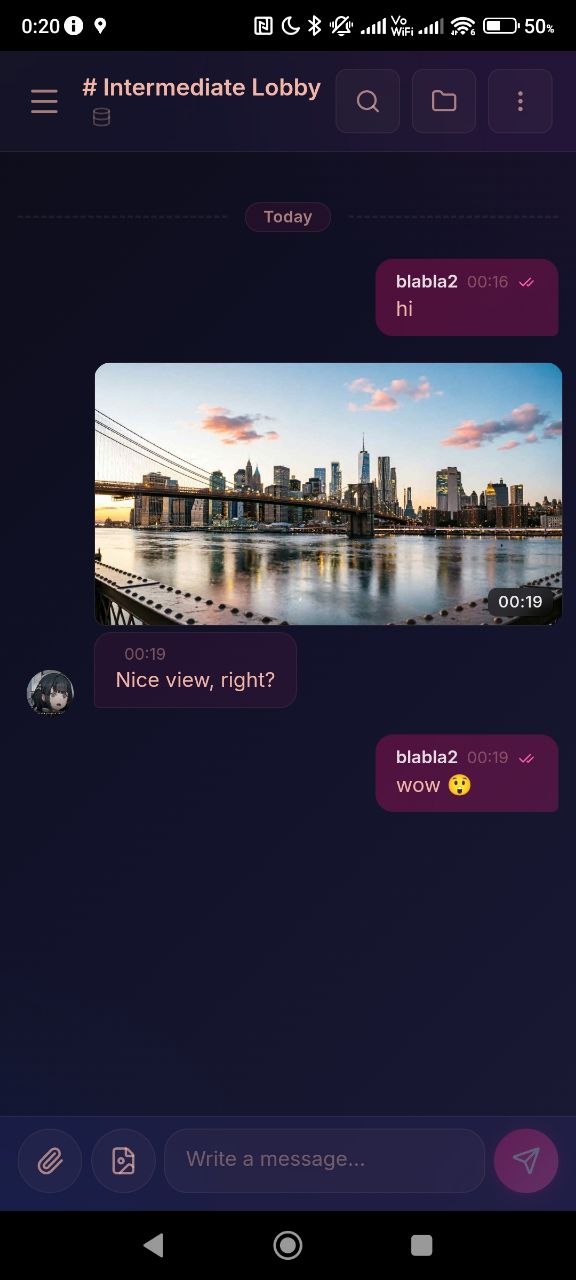
Fancy Mumble runs on Android with all of the core features (talking, chat, screen-share viewing, file sharing, custom emotes) and a few small adjustments for touch.
See the installer page and pick the Android tab.
On the first launch Android will ask for:
| Permission | Why | Required? |
|---|---|---|
| Microphone | To send your voice. | Yes, talking does not work without it. |
| Notifications | To show push notifications when the app is closed. | Optional, but you will miss messages without it. |
| Photos and files | To attach files and images in chat. | Optional, only asked when you tap the paperclip. |
You can revisit these in Android settings, Apps, Fancy Mumble, Permissions.
If the server supports it (see Push notifications), you will get a notification when:
Tap a notification to open the app on that channel.
The desktop layout is rebalanced for touch:
Mobile call controls
A floating bar at the bottom with mute, deafen, leave, and stream toggles. Auto-hides when no audio is active.
Channel drawer
Channels live in a left drawer, swipe from the edge or tap the menu button to open.
Member sheet
Tap a user to open a bottom-sheet with their profile, frame, banner, and actions (private message, mute, kick).
Message action sheet
Long-press a message to reply, react, copy, pin, or delete.
Force TCP mode (Settings, Voice, Network) on flaky cell data. It adds a little latency but avoids packet-loss audio glitches.
Continue with Profile customization and Audio configuration. Both work the same on mobile.