
Share a specific window
Sharing the full desktop is convenient, but a single window keeps private windows (calendar, messages, banking) hidden.
Fancy Mumble lets you share what is on your screen with everyone in your channel. The server fans your single upload out to every viewer, so it stays smooth even with many people watching.
You can also draw on top of any stream with the built-in whiteboard, which is great for “look at this” moments.
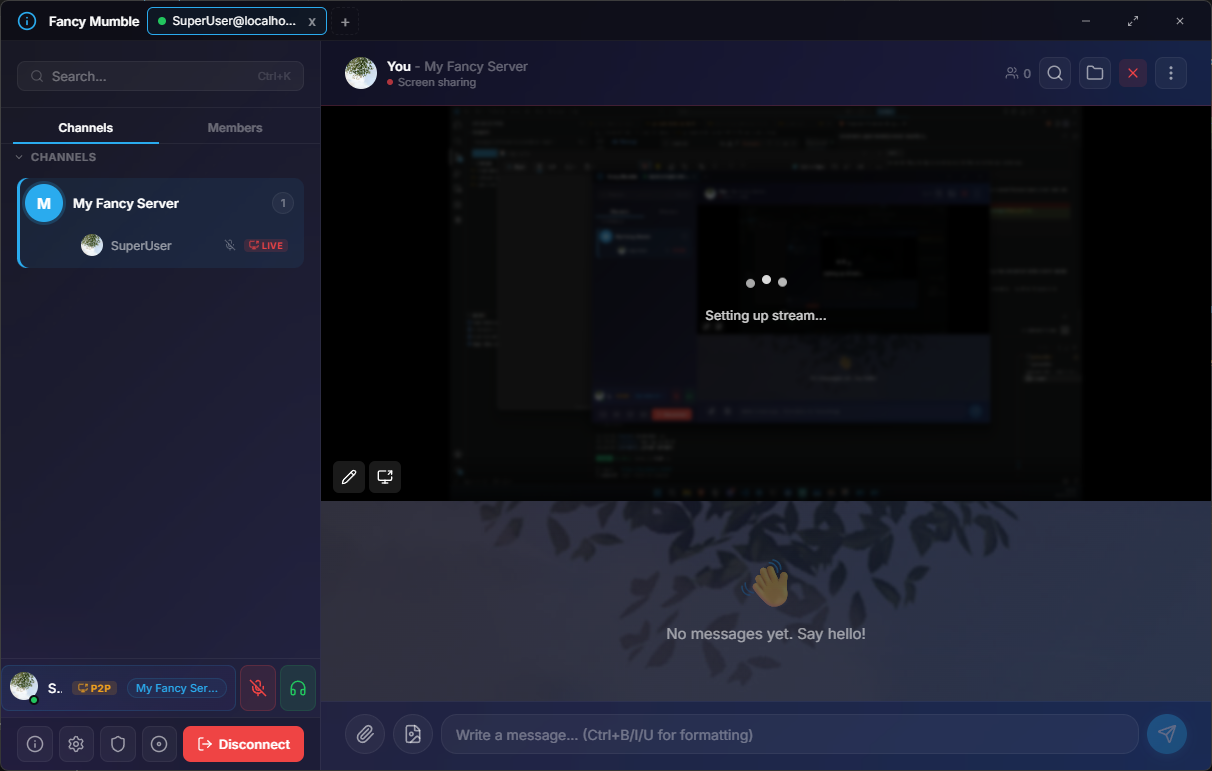
Click the Screen share button in the call-control area (bottom of the chat panel, or the call bar at the top).
Pick what to share:
Confirm. A small indicator appears under your name to show you are broadcasting.
To stop, click the same button again or use the Stop sharing bar at the top of the window.
When anyone in your channel starts streaming, a thumbnail appears in the stream grid between the chat and the member list.
Screenshot placeholder: focused stream view with the grid above and the pop-out button.
Up to a handful of people can broadcast at the same time. Each one shows as a tile in the grid. The focus view tracks whichever tile was clicked last.
If your channel uses a presentation setup (one presenter, many viewers) the admin can set a permission so only the presenter may broadcast. See Permission flags.
Anyone watching can draw on top of the focused stream:
In the same area, the Watch Together feature lets one person play a video URL that is synchronized across the channel. Pause and seek events propagate to every viewer.
Open it from the Watch Together menu next to the screen-share button.
Share a specific window
Sharing the full desktop is convenient, but a single window keeps private windows (calendar, messages, banking) hidden.
Resolution and frame rate
The server caps each stream at a reasonable bitrate. Use a smaller window for sharper text, or full screen for video.
Audio sharing
On Windows and most browsers, the picker offers an Also share system audio checkbox. Useful for music, games, or video calls.
Privacy first
The picker is system-provided. Fancy Mumble cannot start a stream of something you did not explicitly choose.
Continue with Files and images to share documents and screenshots through chat.