
Wrong address or port
The most common cause. Double-check the address. The default port is 64738.
You have installed the app. Now you need somewhere to talk. This page covers three ways to connect:
When you open Fancy Mumble it shows the Connect screen. Three views are available from the bottom strip:
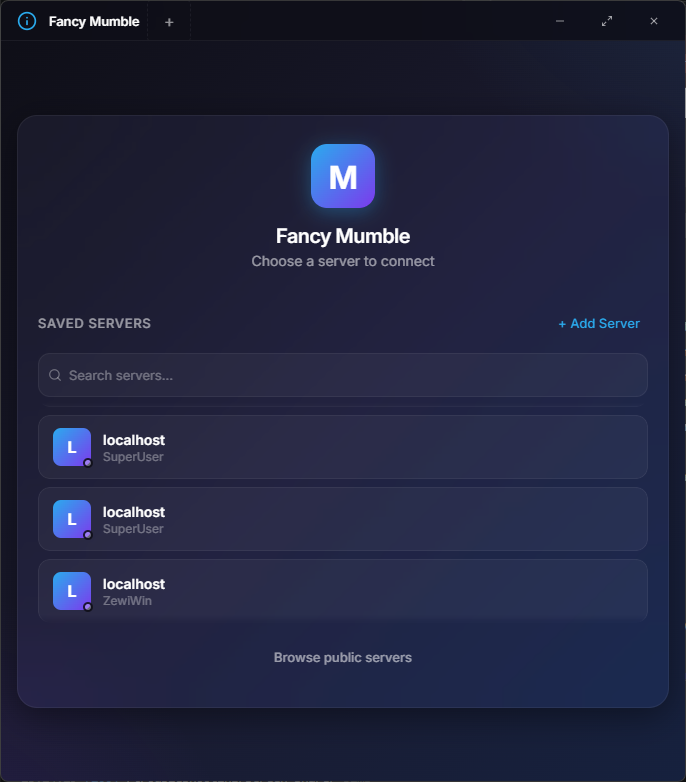
Tap the + button (or Wizard at the bottom).
Server address: type the address you were given, for example
mumble.example.org or mumble.example.org:64738. If no port is
given, the default 64738 is used.
Your identity: pick a username. This is the name others will see. 3 to 15 characters, letters, numbers, dashes, or underscores by default. Some servers allow other patterns.
Give it a name (Expert only): a friendly label like Saturday D&D. Leave it blank to use the server address.
Click Save. The server now appears in your Servers list.
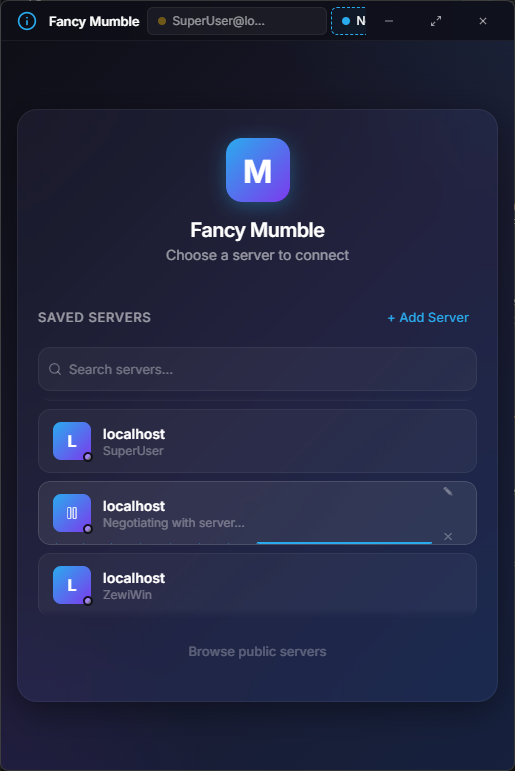
Click any saved server card to connect. The status indicator goes through these stages:
The progress bar stays up not just during the connection handshake but also while channels, users, and your own session are fetched, so you do not land on an empty room.
If the server is locked with a password, Fancy Mumble pops up a small dialog after the handshake.
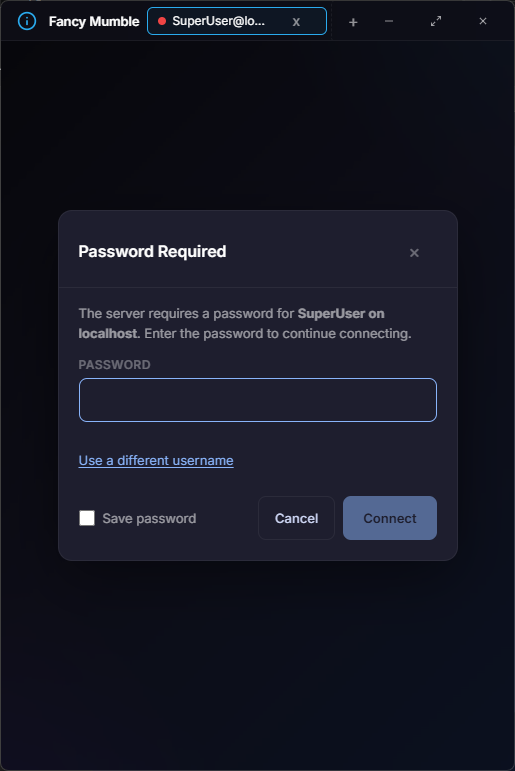
Type the password and click Retry. The app offers to remember the password in your operating system’s secure storage so you do not get asked again.
The first time you connect to a server, the app pins the server’s identity. If that identity later changes (for example, the server was reinstalled), the app refuses to connect and shows you the new details.
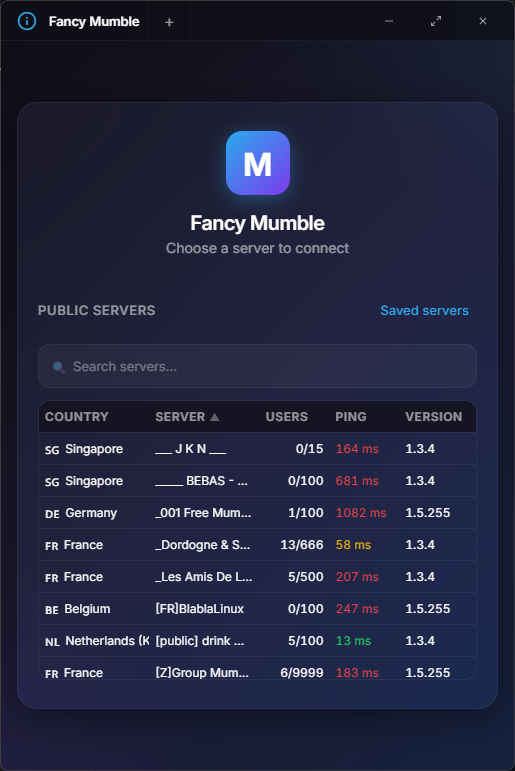
The Public tab lists servers from the global directory. You can filter by country, users online, and name. Click a row to connect (no save required).
Wrong address or port
The most common cause. Double-check the address. The default port is 64738.
Server is rejecting you
Older servers may not understand the newer handshake. Ask the admin to update the server.
Voice does not connect
Corporate firewall blocking 64738? Try Force TCP under Audio settings.
Identity changed
See “Untrusted certificate” above. Do not accept unless the admin told you the server was reinstalled.
If none of these help, see Connection problems.
Continue with Your first voice call.