
Keyboard shortcuts
Open Settings, Shortcuts to bind keys.
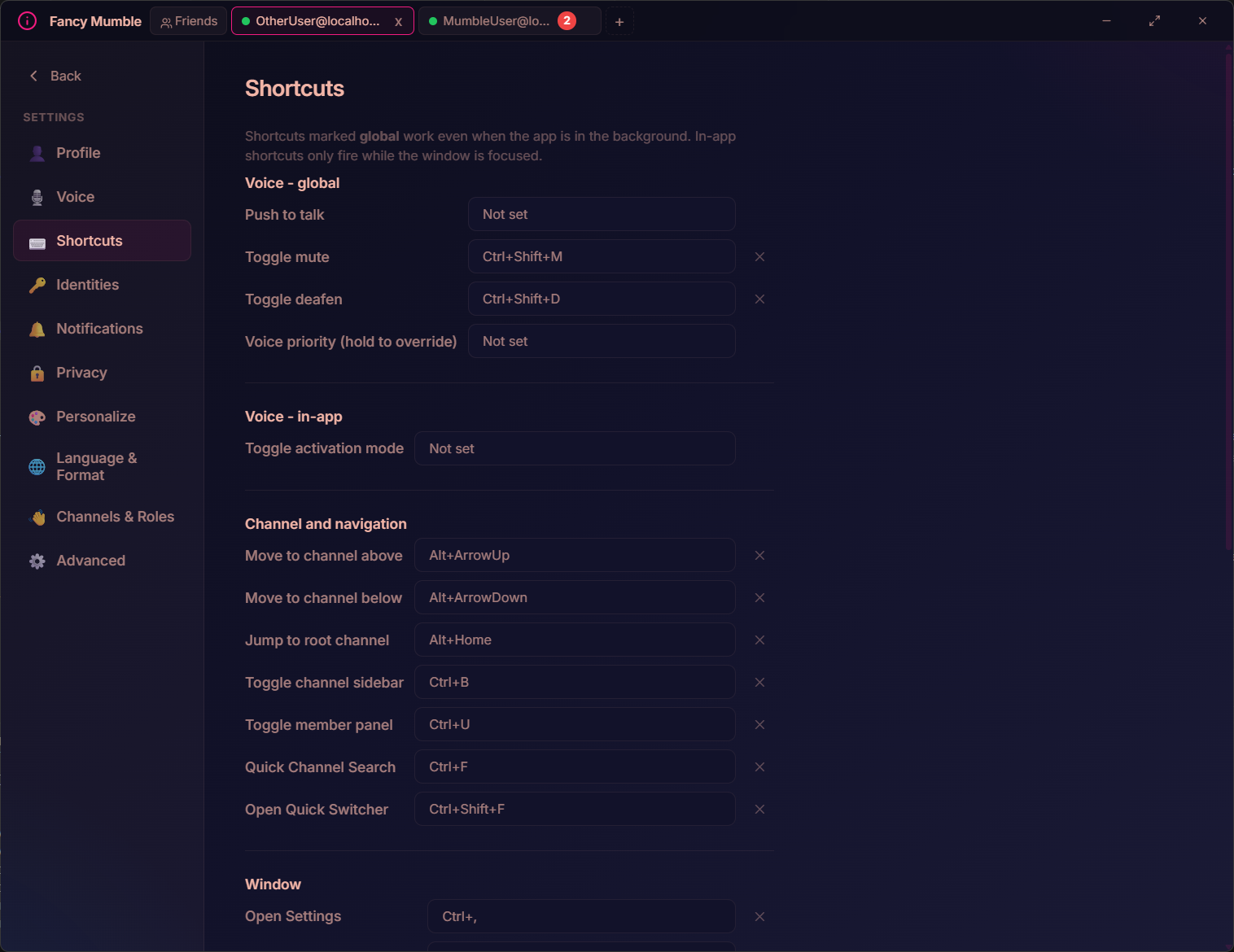
Global vs in-app
Section titled “Global vs in-app”- Global shortcuts work even when the app is in the background. Most voice actions are global, so you can mute mid-game without alt-tabbing.
- In-app shortcuts only fire while the window is focused.
Recording a shortcut
Section titled “Recording a shortcut”- Click the shortcut recorder for the action you want to bind.
- Press the key combination (modifiers plus key).
- Release. The combo is captured and shown.
To clear a binding, record Escape or use the clear control next to
the recorder.
Configurable shortcuts
Section titled “Configurable shortcuts”These are the bindings you get out of the box. All can be re-bound.
Voice (global)
Section titled “Voice (global)”| Action | Default |
|---|---|
| Push to talk | unbound (you pick) |
| Toggle mute | Ctrl+Shift+M |
| Toggle deafen | Ctrl+Shift+D |
| Voice priority (hold to override) | unbound |
Voice (in-app)
Section titled “Voice (in-app)”| Action | Default |
|---|---|
| Toggle activation mode | unbound |
Channel and navigation (in-app)
Section titled “Channel and navigation (in-app)”| Action | Default |
|---|---|
| Move to channel above | Alt+ArrowUp |
| Move to channel below | Alt+ArrowDown |
| Jump to root channel | Alt+Home |
| Toggle channel sidebar | Ctrl+B |
| Toggle member panel | Ctrl+U |
| Quick Channel Search | Ctrl+F |
| Open Quick Switcher | Ctrl+Shift+F |
Window (in-app)
Section titled “Window (in-app)”| Action | Default |
|---|---|
| Open Settings | Ctrl+, |
| Toggle fullscreen | F11 |
| Toggle developer overlay (Expert only) | Ctrl+Shift+I |
Chat composer shortcuts (not configurable)
Section titled “Chat composer shortcuts (not configurable)”These shortcuts are always active inside the message composer.
| Action | Key |
|---|---|
| Focus composer | Tab |
| Send message | Enter |
| New line | Shift+Enter |
| Edit last message (in empty composer) | ArrowUp |
| Bold | Ctrl+B |
| Italic | Ctrl+I |
| Inline code | Ctrl+E |
| Emoji picker | type : then search |
| Mention picker | type @ then search |
Mobile
Section titled “Mobile”On Android there are no keyboard shortcuts. Gestures replace them:
- Swipe from the edge to open the channel drawer.
- Swipe the other way to open the member sheet.
- Long-press a message for the action sheet.
Next step
Section titled “Next step”Continue with Privacy & identities.