
Voice Activation (default)
Your mic transmits when speech is detected. Threshold based. The AI noise removal cleans the result.
You are connected. Here is how to start talking.
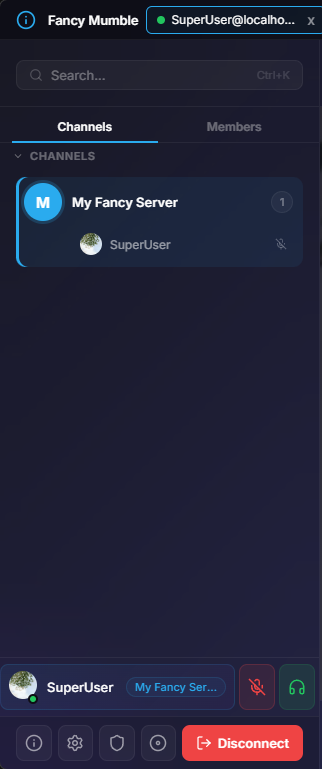
Mumble does not have one big room, channels are explicit. In the left sidebar:
The channel you are in is highlighted, and your name appears beneath the channel in the user list.
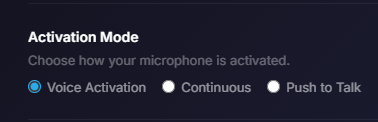
Open Settings, Voice (or click your avatar then Settings). Three modes are available:
Voice Activation (default)
Your mic transmits when speech is detected. Threshold based. The AI noise removal cleans the result.
Push to Talk (PTT)
Audio only flows while a key is held. Pick the key with the shortcut recorder. Best for noisy rooms or for podcasters.
Continuous
Always on, no gate, no noise removal. Use only when you need full fidelity and the room is silent.
Hit the Calibrate button on the Voice panel. A live level meter pops up so you can:
If your voice barely crosses the line, lower the Threshold or boost Microphone Volume. If the line is constantly below ambient noise, raise the threshold.
Most servers have a Test or Lobby channel. Join it, hit your push-to-talk key (or just talk if you are on Voice Activation), and watch the green ring appear around your avatar. That ring is the speaking indicator.
You can also watch the local level meter in the header.
Two icons sit at the top of the window:
Push-to-talk users almost always leave themselves toggled-mute and rely on the push-to-talk key instead.
| If… | Then… |
|---|---|
| Background noise leaks through | Switch noise removal to DeepFilterNet. It is the heaviest and cleanest option. |
| Voice cuts at the start of sentences | Raise Hold Frames in Voice, Expert. |
| Audio is choppy on Wi-Fi | Lower the bitrate, or enable Force TCP in Voice, Network. |
| You sound quiet | Enable Auto Gain in Voice, Audio Processing. |
Full details on the Audio configuration page.
That is it, you are now a fully operational Mumble user. Recommended next stops: