
Find the failing part
Start with an observable result. Keep a working comparison—a second channel, listener, device, or network—so each change has a measurable outcome.

| What fails | First comparison | Detailed guide |
|---|---|---|
| Cannot connect | DNS and TCP listener test before changing credentials | Connection problems |
| Chat works; nobody hears you | Local sample recorder, then Continuous activation, then TCP/UDP comparison | Audio problems |
| You cannot hear members | Local playback and the selected output device | Audio problems |
| Share is blank | Sender preview versus one and then two viewers | Screen-share problems |
| A Fancy feature is absent | Server capability and required plugin/service status | Feature availability |
| Failure needs developer investigation | Short reproduction and synchronized logs | Debug logging |
File upload or download fails
Section titled “File upload or download fails”If the attachment button says the server has no file sharing, ask the owner to check the advertised files service and your permissions. A URL that points to localhost can work on the server itself and fail for every remote client.
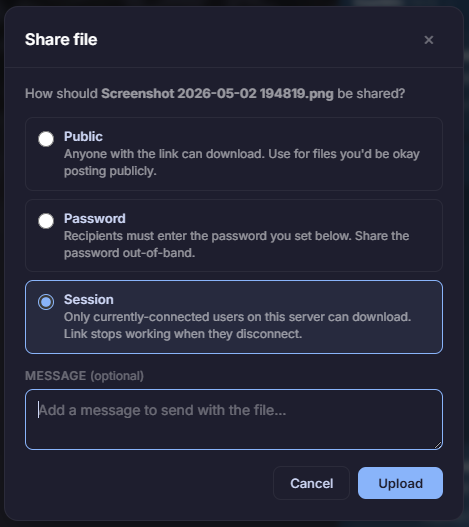
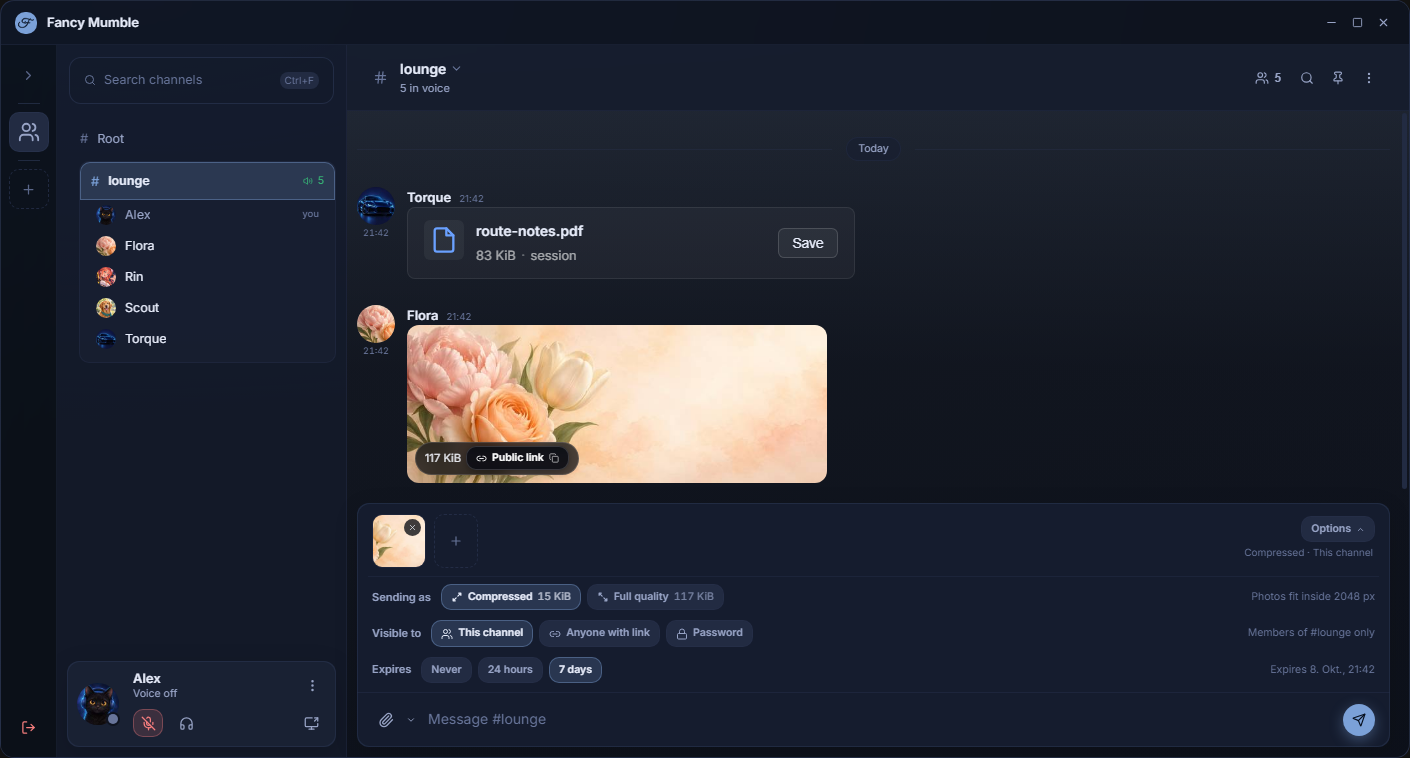
For an upload error, record the filename type, size, visibility, expiry choice, and exact error. Compare a small image with the failing file. For a download error, check whether the attachment is expired, requires a password, or is restricted to the conversation. Ask the owner to correlate the request with files-service logs; never publish the private download URL or password in a bug report.
Settings or profile do not appear to apply
Section titled “Settings or profile do not appear to apply”Separate local appearance from shared profile data. Personalize changes your window; Profile changes the card other members see. Confirm the active certificate identity and server, then ask another Fancy Mumble user to reopen your card. A standard Mumble client will not render every Fancy profile field.
Crash, hang, or regression
Section titled “Crash, hang, or regression”Record the last action, time with timezone, platform, and exact build. Check whether the same steps work on another device or an earlier build without replacing your current identity/data. Capture the error and export logs. Keep a copy of relevant data before trying a reset; resets can remove the state needed to reproduce the bug.